betterbugs alternative
BetterBugs alternative: Bugmark vs BetterBugs
BetterBugs and Bugmark are both Chrome extensions that turn a bug into a report with a screenshot or recording plus console and network logs. BetterBugs adds a cloud workspace, report links, a 2-minute Rewind and AI debugging. Bugmark keeps every report in your browser and costs a one-time $15 instead of a per-seat plan.
TL;DR
The short version
Choose BetterBugs if you want shareable report links, a team workspace with comments, Rewind to capture the last two minutes without pressing record, AI summaries and debugging, and integrations with Jira, Linear, GitHub and more. Choose Bugmark if you want reports that stay on your device until you export them, network payloads and responses with secret masking, cURL and HAR download, GitHub issues, and a one-time $15 payment instead of per-seat pricing.
When BetterBugs is the better fit
BetterBugs captures much of the same context as Bugmark and adds a hosted layer on top. Reports live in a BetterBugs workspace, where teammates open them from a link, comment on them and send them to project tools. If your team triages bugs together, that shared space is a real advantage.
- Rewind: BetterBugs can keep the last 2 minutes of browser activity so you can report a bug after it happens, with no manual recording. Its features page says Rewind is off on new websites until you turn it on, and nothing is uploaded until you choose to.
- Longer recordings: tab or window recording with mic support, pause and resume, and annotation while recording — up to 15 minutes on paid plans and 5 minutes on Free.
- Wider developer logs: console logs, network requests and device info, plus Sentry back-end events, cookies and local storage, custom metadata and GraphQL error handling.
- AI and integrations: an AI summary, AI debugger and AI-generated repro steps, an MCP server on paid plans, and integrations with Jira (two-way sync), Linear, GitHub, GitLab, Asana, ClickUp, Trello, Azure Boards and more on the Team plan.
BetterBugs has a free plan — at the time of writing 5 seats, 1 project, 30 sessions per workspace, 10 recording links a month, 5-minute recordings and 1 month of data retention — that includes console and network logs plus Slack and Microsoft Teams. The Team plan is priced per seat ($12 per seat per month billed annually) and unlocks the project-tool integrations, longer recordings and 1 year of retention.
When Bugmark is the better fit
Bugmark is for people who want the same kind of developer context without a cloud workspace, a seat count or a retention window — and who would rather pay once than every month.
- Simple pricing: every feature is unlocked from the first install. The free version keeps up to 2 saved reports at a time, and a one-time $15 payment (Bugmark Pro) removes the limit for unlimited reports, forever. No subscription, no seats and no account.
- Local-first data: screenshots, recordings and logs stay in your browser (IndexedDB). Nothing is uploaded to Bugmark servers; data leaves only when you export a report or create a GitHub issue.
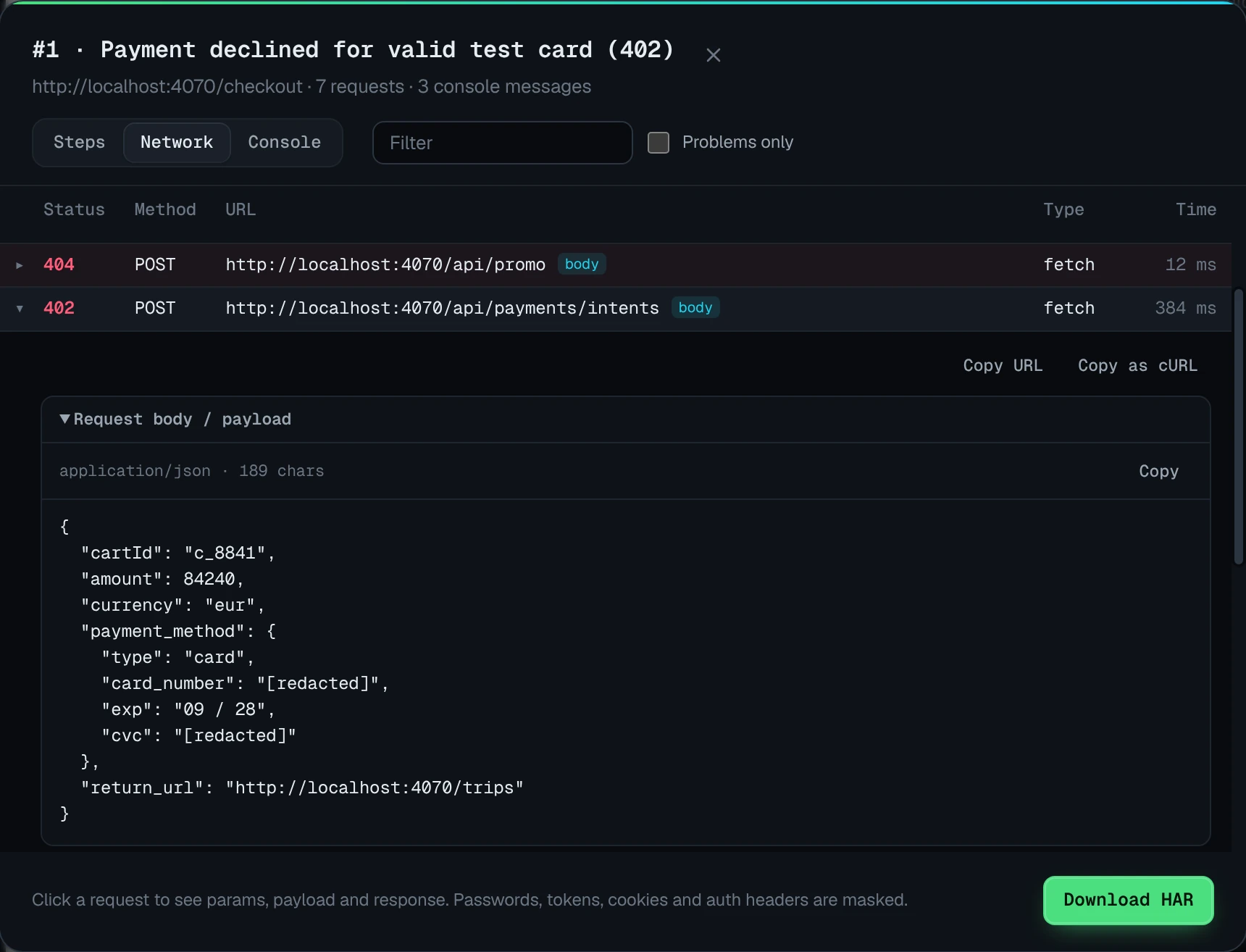
- Network detail you can replay: the last 150 requests with method, status and timing, and for recent fetch/XHR calls the request headers, payload, response headers and response body, with passwords, tokens, API keys and Authorization or Cookie headers replaced by
[redacted]. Copy any request as cURL or download a HAR for Chrome DevTools. - GitHub without a paid tier: connect a fine-grained token or OAuth device flow and create issues with labels, steps, failing requests and console errors. Screenshots, recordings and HAR files are committed to a separate branch so they render inside the issue.
- Front-end review tools: full-page and element capture, a 3-second delayed capture, mobile/tablet/desktop breakpoints in one image, an element inspector with computed styles and before/after comparisons.
Bugmark vs BetterBugs: feature comparison
| Feature | Bugmark | BetterBugs |
|---|---|---|
| Price | Free to try (2 saved reports); one-time $15 for unlimited reports | Free plan with seat, project, session and recording-link limits; Team plan priced per seat |
| Account required | No | Workspace-based, with seats per plan |
| Where data is stored | Locally in your browser | BetterBugs workspace (cloud); Rewind data stays local until you upload |
| Screenshots & annotation | Yes: pen, arrows, shapes, text, numbered pins, redact | Yes: cropped, visible and full-page, delayed, with markup tools |
| Screen recording | Tab recording with voice, up to 5 minutes | Tab or window, 5 minutes on Free and 15 on Team, plus 2-minute Rewind |
| Console logs | Last 150 messages, errors and unhandled rejections | Yes, on all plans |
| Network requests with payloads/responses | Yes, with secret masking, cURL and HAR download | Network logs on all plans |
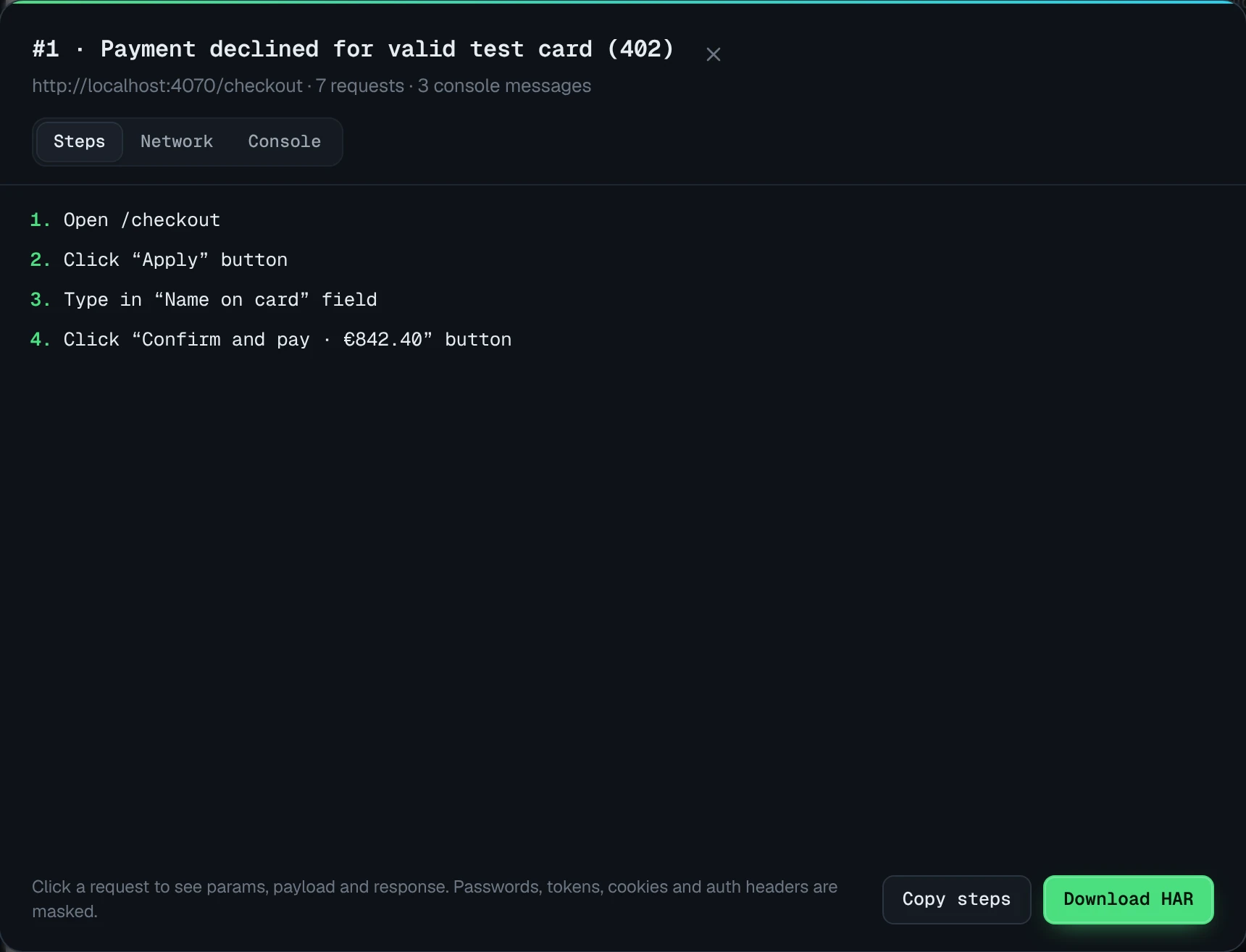
| Steps to reproduce | Last 30 actions, editable | AI-generated repro steps |
| Integrations | GitHub issues; CSV and Markdown export for Jira, Linear, Slack | Slack and Teams on Free; Jira, Linear, GitHub and more on Team |
| Share links/collaboration | No hosted links; self-contained HTML report export | Report links, comments and team workspaces |
| Data retention | On your device until you delete it | 1 month on Free, 1 year on Team |
Competitor details checked October 2026 from their public website; plans and features change, so check their site for current details.
Key differences in practice
On a single bug, BetterBugs and Bugmark capture similar evidence. The differences show up in how reports are stored, shared and paid for.
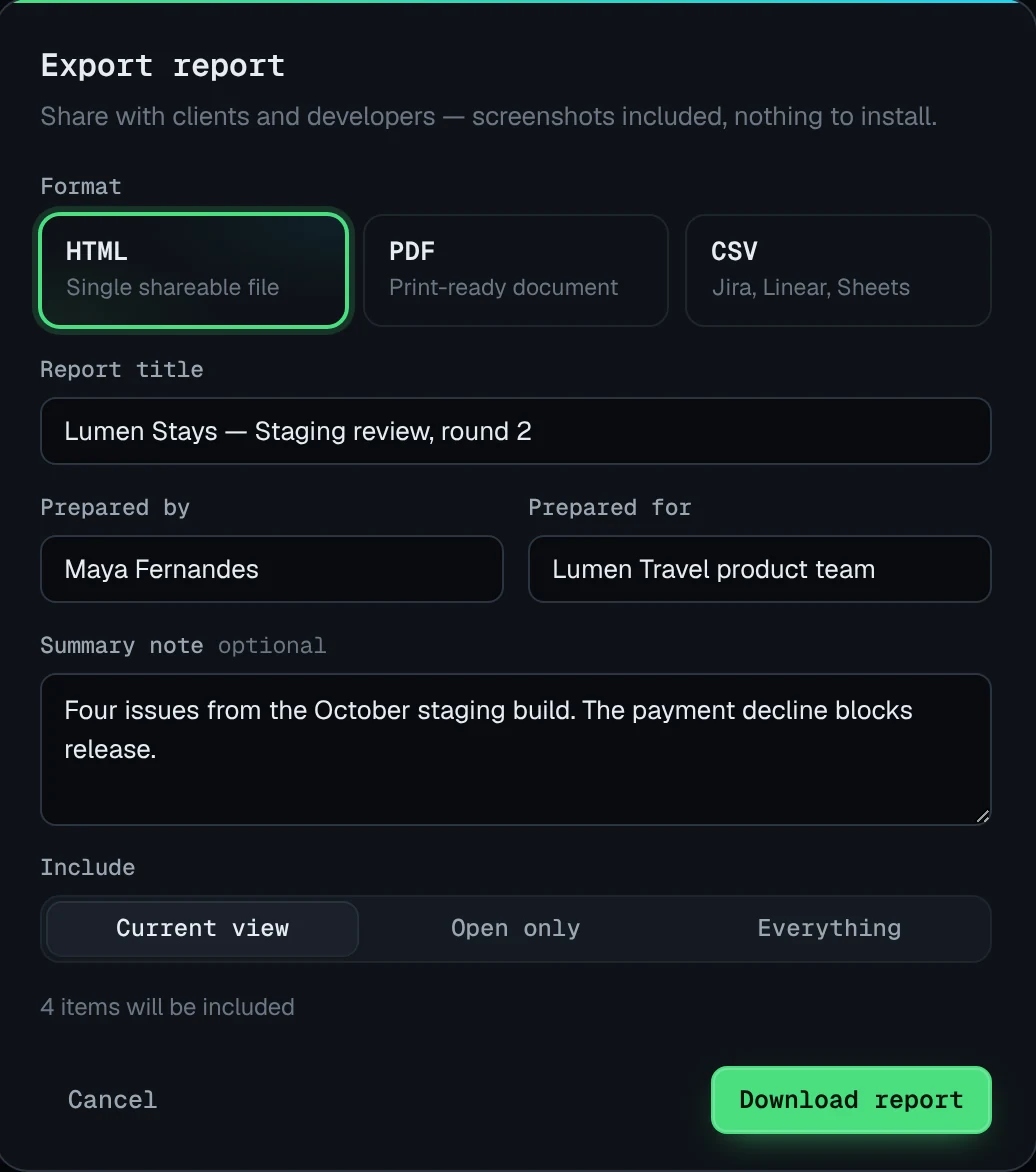
- Hosted vs local. A BetterBugs report is a link in a workspace that teammates can open and comment on. A Bugmark report is a local record you turn into a GitHub issue or export as HTML, PDF, CSV or Markdown when you are ready.
- Capturing the past. BetterBugs Rewind can recover the last two minutes of activity after something goes wrong. Bugmark records video only once you start, but it always keeps the last 30 actions, 150 console messages and 150 network requests, so a screenshot taken after the bug still carries what led to it.
- Cost model. BetterBugs Team is billed per seat, every month or year. Bugmark Pro is a one-time $15 payment for unlimited reports, with no seats or renewals.
If your team triages bugs together in a shared space and wants AI help along the way, BetterBugs offers more out of the box. If you want privacy by default, deep network detail and a tool you pay for once, Bugmark is the simpler choice.
How to try Bugmark alongside BetterBugs
You can run both extensions side by side and compare reports on the same bug before deciding.
- Add Bugmark from the Chrome Web Store — click Add to Chrome and confirm. No account needed, and it works in Chrome, Edge, Brave and Arc.
- Reproduce a bug and press
Alt+Shift+Sto capture it, orAlt+Shift+Rto record the tab with voice. - Open the network log, filter to failures and compare the payload and response detail with your BetterBugs report.
- Copy a failing request as cURL or download the HAR to replay it in Chrome DevTools.
- Create a GitHub issue from the capture, or export an HTML, PDF, CSV or Markdown report.
Want more detail on the network side? See the network request logger page or the debugging tool overview. Add Bugmark to Chrome — free to try.
Frequently asked questions
Is Bugmark a free BetterBugs alternative?
Bugmark is free to try with every feature unlocked, limited to 2 saved reports at a time. A one-time $15 payment removes the limit for unlimited reports, with no seats or subscription. Like BetterBugs it captures screenshots, recordings, console logs and network requests, but it has no hosted report links, team workspace or AI features.
Does Bugmark have a Rewind feature like BetterBugs?
No. Bugmark records the tab once you start a recording, for up to five minutes, and the recording continues across page loads. It does not keep a rolling video of past activity. It does automatically keep the last 30 actions, 150 console messages and 150 network requests, so screenshots taken after a bug still include the context that led to it.
Can I share a Bugmark report with a link?
Bugmark does not host reports, so there are no share links. You can export a self-contained HTML report that opens in any browser, a PDF, a CSV or Markdown, or create a GitHub issue where screenshots, recordings and HAR files render inside the issue. This keeps captures off third-party servers unless you choose to share them.
Does Bugmark integrate with Jira or Linear?
Not natively. Bugmark creates GitHub issues directly with labels, steps, failing requests and console errors. For Jira, Linear or spreadsheets, export a CSV or copy a Markdown version of the report and paste it into a ticket. Status and priority are tracked in the Bugmark dashboard rather than synced with another tool.
Which browsers does Bugmark support?
Bugmark works in Google Chrome and Chromium-based browsers that support Chrome extensions, including Microsoft Edge, Brave and Arc. It installs from the Chrome Web Store in a few seconds with no account, and it works on localhost, staging environments and pages behind a login.
Try Bugmark free — no account needed
- Screenshots & screen recording
- Console & network logs
- Steps to reproduce
- GitHub issues & reports