bugherd alternative
BugHerd alternative: Bugmark vs BugHerd for website feedback
BugHerd is a website feedback tool that lets teams and clients pin comments to a live site and manage them on a task board. Bugmark is a free Chrome extension focused on bug reports developers can fix, with annotation, recording and automatic developer context stored locally in your browser.
TL;DR
The short version
Choose BugHerd if you run client projects and want clients to leave pinned feedback without logging in, with a built-in kanban board and integrations with Jira, Trello, Asana, Slack and GitHub. Choose Bugmark if you want an extension that is free to try, with no account, no member limits and a one-time $7.99 price, local-first data, console logs, network payloads and responses, HAR download and GitHub issues.
When BugHerd is the better fit
BugHerd is built around collaboration with clients. Reviewers point, click and comment on a page, and BugHerd drops a pin and captures a screenshot with browser, OS, screen resolution and element details. Feedback flows into a task board your team can prioritize.
- Client feedback without login: clients can review through shareable links, and BugHerd plans include unlimited client users and projects.
- Task board: feedback lands on an integrated kanban board, with a client-facing board on higher plans.
- More than websites: feedback on Figma designs, PDFs and images, plus text edit suggestions.
- Broad browser support: an extension for Chrome, Edge, Firefox and Safari, or a JavaScript snippet with no extension required.
- Integrations: Jira, Trello, Asana, Slack, GitHub and more, with some integrations on higher plans.
BugHerd offers Standard, Studio, Premium and Custom plans priced by team members and storage, with a 7-day free trial and no credit card required.
When Bugmark is the better fit
If the person capturing the issue is a developer, tester or designer, Bugmark gives you more of the technical detail needed to fix a bug, without a workspace or a subscription.
- No subscription: no member count, no storage plan and no account. Free to try; a one-time $7.99 unlocks unlimited reports.
- Local-first: captures live in your browser, and nothing is uploaded to Bugmark servers.
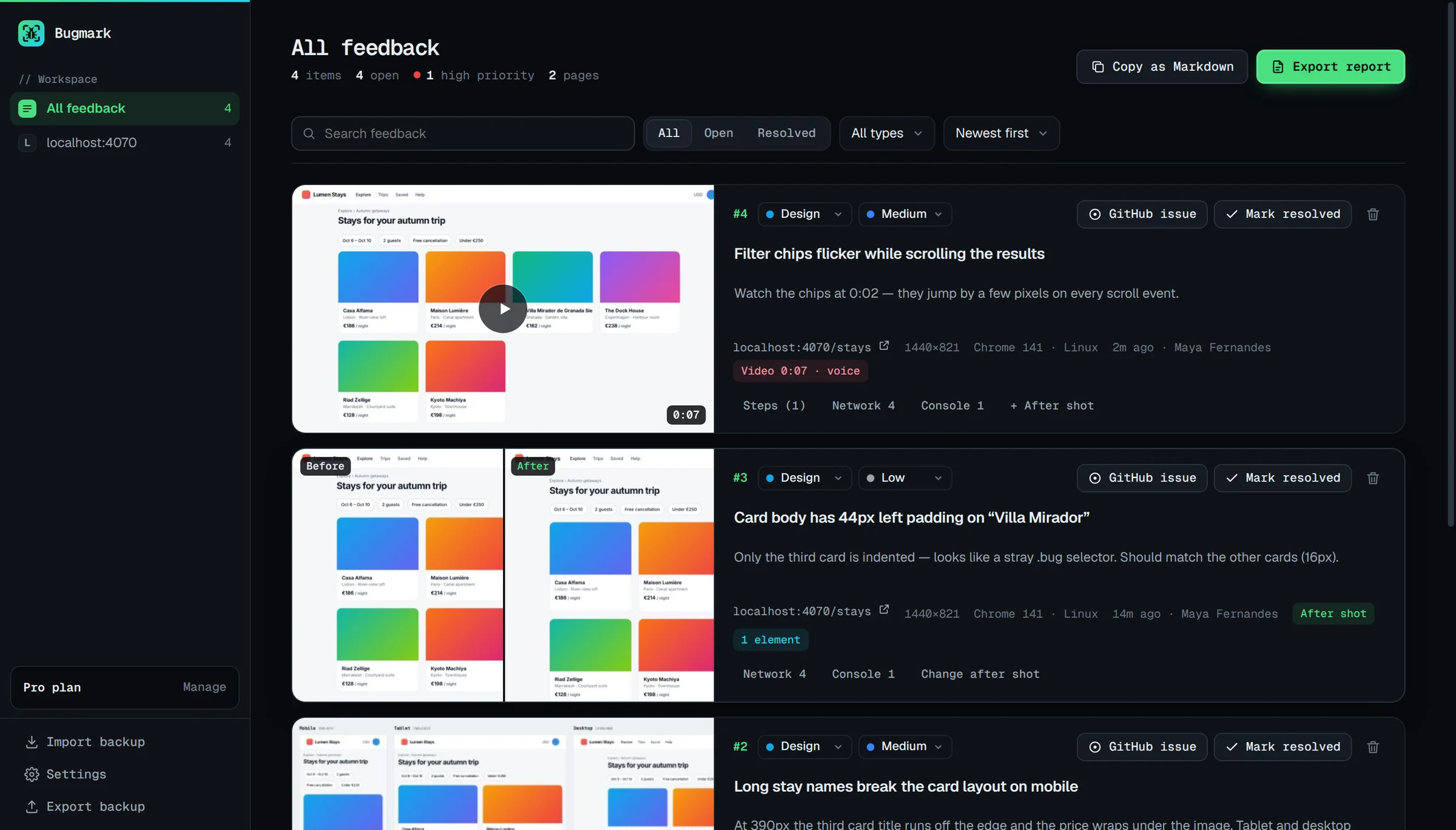
- Developer context: steps to reproduce from the last 30 actions, 150 console messages and errors, and network requests with payloads and responses for recent fetch/XHR calls, with secrets masked.
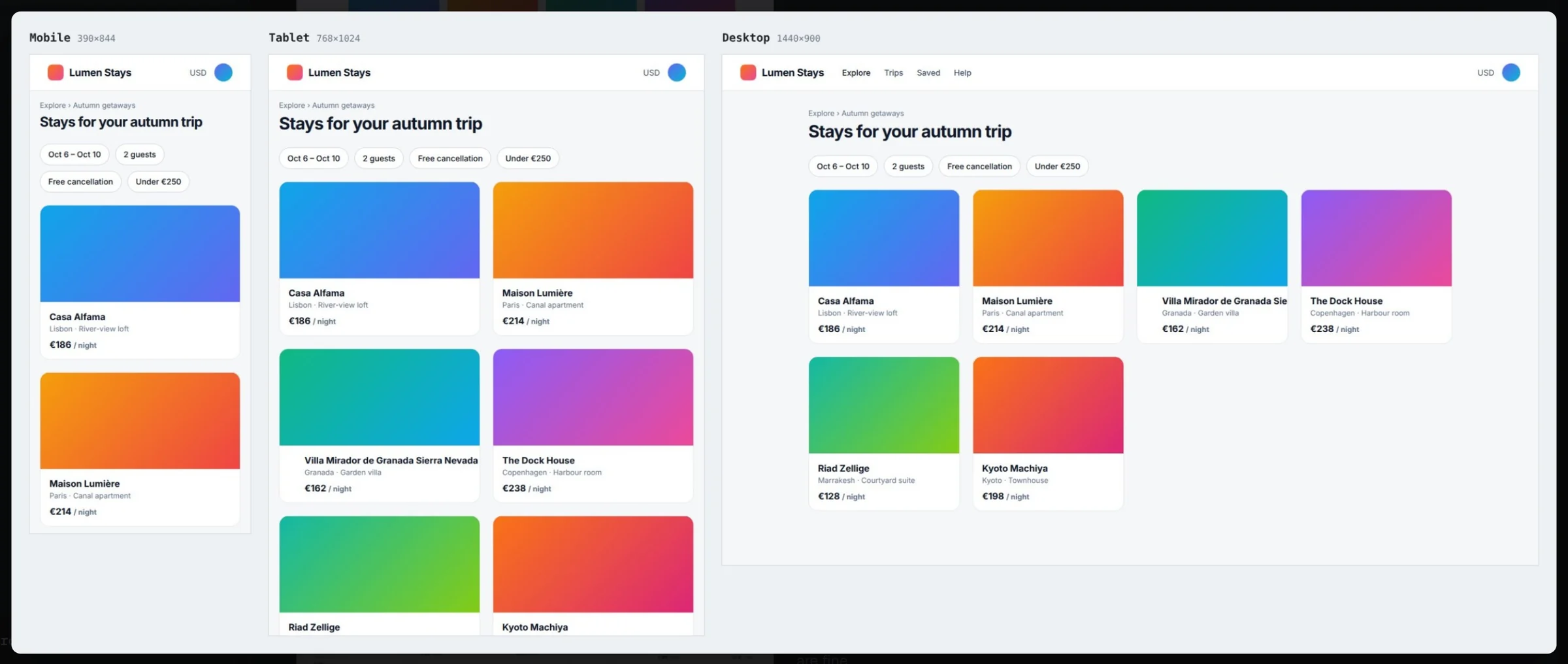
- Precise capture: full-page, element and delayed captures, mobile/tablet/desktop breakpoints, an element inspector and tab recording with voice.
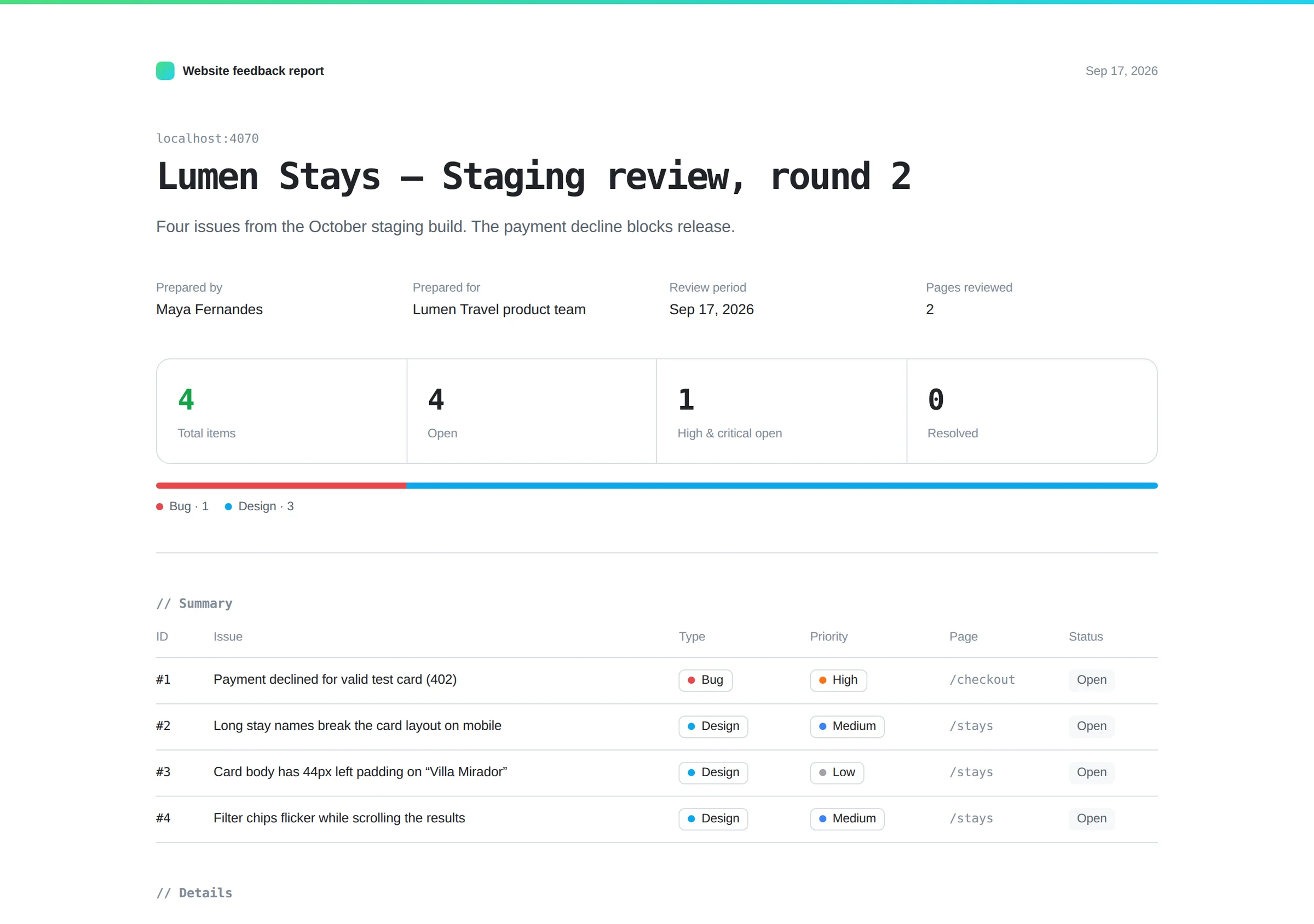
- Your own reports: a dashboard grouped by site, plus white-label HTML, PDF, CSV and Markdown exports and GitHub issues.
Bugmark is also a good fit for internal QA before a site goes to review. Testers can capture failures across breakpoints, attach the exact element and its styles, and hand developers a report with the failing request and console error already included, so fewer tickets bounce back with a request for more information.
Bugmark vs BugHerd: feature comparison
| Feature | Bugmark | BugHerd |
|---|---|---|
| Price | Free to try (every feature, 2 saved reports); $7.99 one-time for unlimited | Paid plans with a 7-day free trial; varies by plan — see their pricing page |
| Account required | No | Clients can give feedback without login; team seats vary by plan |
| Where data is stored | Locally in your browser | BugHerd's cloud (storage varies by plan) |
| Screenshots & annotation | Yes: shapes, text, numbered pins, redact | Pinned comments with automatic screenshots |
| Screen recording | Tab recording with voice, up to 5 minutes | Video feedback (short recordings) |
| Console logs | Last 150 messages and JavaScript errors | Not detailed on the pages we reviewed — check their docs |
| Network requests with payloads/responses | Yes, with secret masking, cURL and HAR | Not detailed on the pages we reviewed — check their docs |
| Steps to reproduce | Last 30 actions, editable | Browser, OS, resolution and element details |
| Integrations | GitHub issues; CSV and Markdown export | Jira, Trello, Asana, Slack, GitHub and more; varies by plan |
| Share links/collaboration | No hosted links; HTML report export | Client access, task board and team comments |
Competitor details checked September 2026 from their public website; check their site for current plans.
Key differences in practice
BugHerd and Bugmark both let you mark up a live website, but they answer different questions.
- Feedback vs diagnosis. BugHerd is excellent at capturing what a reviewer wants changed and where. Bugmark adds why something broke, with console errors, failed requests and the actions that led to the problem.
- Shared vs personal workspace. BugHerd gives the whole team and its clients a shared board. Bugmark keeps a personal dashboard in your browser and hands work off through GitHub issues or exported reports.
- Pricing model. BugHerd plans scale with team members and storage. Bugmark has no member count or storage plan: freelancers and small studios can try every feature free and pay a one-time $7.99 for unlimited reports.
Many agencies combine approaches: a client-facing feedback tool for approvals, and a developer-focused extension for QA passes before the client ever sees the site.
How to try Bugmark as a BugHerd alternative
- Add Bugmark from the Chrome Web Store — click Add to Chrome and confirm. No account needed, and it works in Chrome, Edge, Brave and Arc.
- Visit the site under review and press
Alt+Shift+Sto annotate the live page. - Use a 3-second delayed capture for hover states, or the breakpoints mode for responsive issues.
- Triage captures in the dashboard by status and priority, and resolve them as you go.
- Share a white-label HTML report with the client, or create GitHub issues for developers.
For more on collecting feedback, see the website feedback tool page and our guide to full-page screenshots in Chrome. Add Bugmark to Chrome — free.
Frequently asked questions
Is Bugmark a free BugHerd alternative?
Bugmark is a Chrome extension for website feedback and bug reporting that is free to try, with no account, member limits or storage plans, and a one-time $7.99 for unlimited reports. It covers annotation, recording and developer context such as console and network logs. It does not provide a client portal, task board sharing or login-free client feedback links, which are central to how BugHerd works for agencies.
Can my clients leave feedback with Bugmark?
Only if they install the extension in Chrome or a Chromium browser such as Edge, Brave or Arc. Bugmark has no hosted links, guest accounts or embeddable script. Most teams use it internally and share results with clients through a white-label HTML report or PDF export that includes screenshots, recordings and a summary.
Does Bugmark have a task board like BugHerd?
Bugmark has a local dashboard rather than a shared kanban board. Captures are grouped by site, and you can search, filter by status and type, sort by priority, edit inline and mark items resolved. Because data stays in your browser, the dashboard is personal; use GitHub issues or CSV export when a team needs a shared tracker.
Does Bugmark work in Firefox or Safari?
No. Bugmark works in Chrome and Chromium-based browsers, including Edge, Brave and Arc. It installs in a couple of clicks from the Chrome Web Store. If you need Firefox or Safari support, check a tool that lists those browsers.
What technical details does Bugmark attach to feedback?
Each capture includes the URL, page title, browser, OS, viewport, pixel ratio and scroll position, plus the last 30 actions, 150 console messages and 150 network requests. With the element inspector, you can also attach an element's CSS selector, size and computed styles such as font, color, padding, margin and border.
Try Bugmark free — no account needed
- Screenshots & screen recording
- Console & network logs
- Steps to reproduce
- GitHub issues & reports