loom alternative for bug reports
Loom alternative for bug reports: Bugmark vs Loom
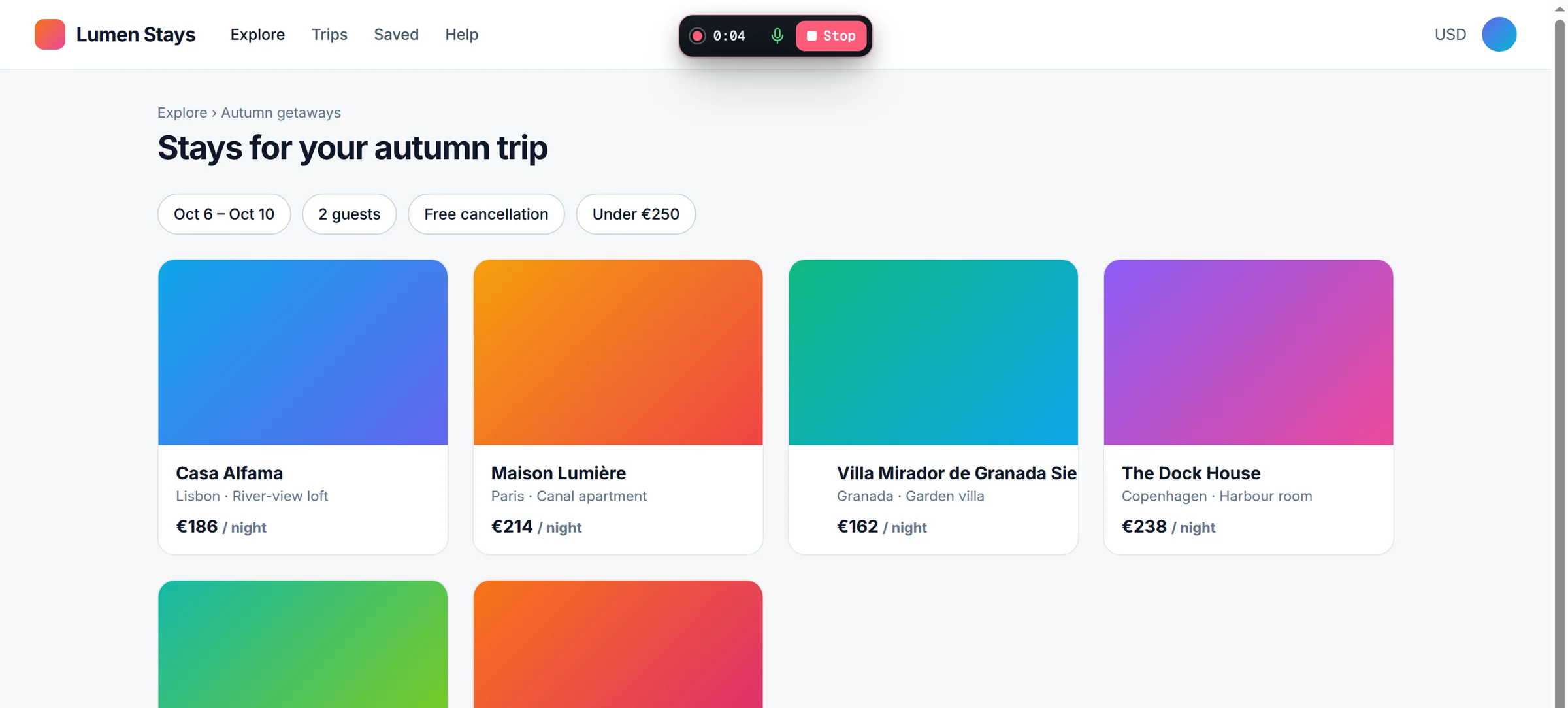
Loom is one of the most popular ways to explain something with a quick video, and many teams use it to show bugs. Bugmark is a free Chrome extension made specifically for bug reports: it records your tab with voice and attaches console logs, network requests and steps to reproduce, all stored in your browser.
TL;DR
The short version
Choose Loom if you want general-purpose async video for your whole company, with camera, transcripts, comments, hosted links and a Jira workflow. Choose Bugmark if your goal is a bug report: a tab recording with voice plus console logs, network payloads and responses, steps to reproduce, HAR download and GitHub issues, with no account and data kept locally.
When Loom is the better fit
Loom is excellent at communication. You can record your screen with your camera, share a link that anyone can watch, and collect comments and reactions at specific moments. Transcriptions in 50+ languages make videos easy to skim, and teams use Loom far beyond bug reports: walkthroughs, demos, onboarding and updates.
- Hosted sharing: links that work in Slack, email and Jira, with comments and reactions.
- Camera and narration: helpful when explaining an issue to non-technical stakeholders.
- Bug reporting mode: Atlassian says Loom's Chrome extension can auto-capture browser and device information, network data and console logs and turn them into a Jira work item, on Loom Business + AI or Enterprise plans.
- Integrations: Loom lists Slack, Jira, GitHub, Confluence, Notion and Zendesk.
Loom's free Starter plan includes 25 videos per person with 5-minute recordings, and paid Business, Business + AI and Enterprise plans remove those limits and add features.
When Bugmark is the better fit
A video shows what happened; developers also need to know why. Bugmark pairs the recording with the technical context automatically, so the report is useful even if nobody watches the whole clip.
- No account: record without signing up. Free to try with up to 2 saved reports; a one-time $7.99 removes the limit.
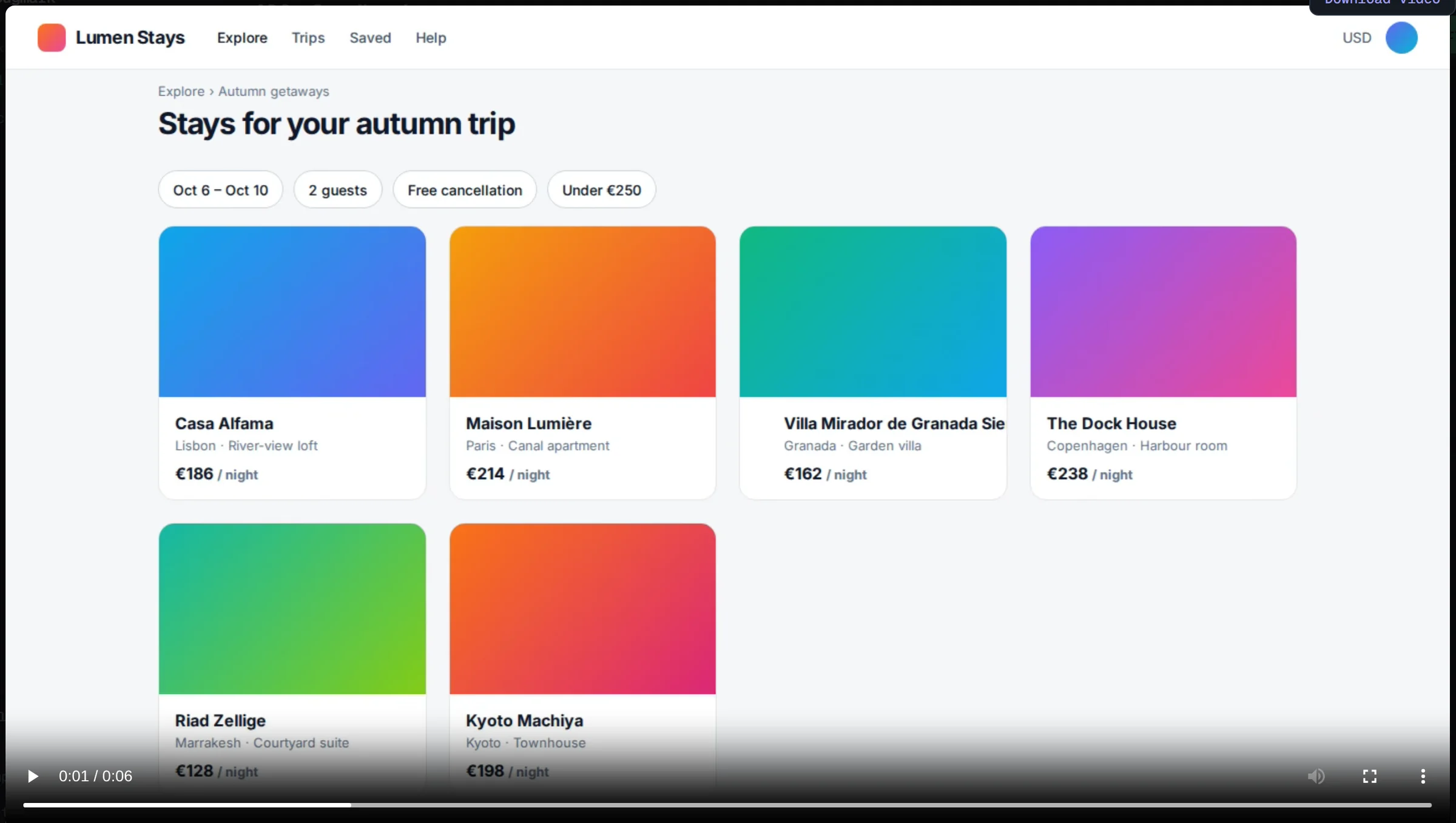
- Recording built for bugs: tab recording with microphone narration, up to 5 minutes, continuing across page loads, with playback in the dashboard.
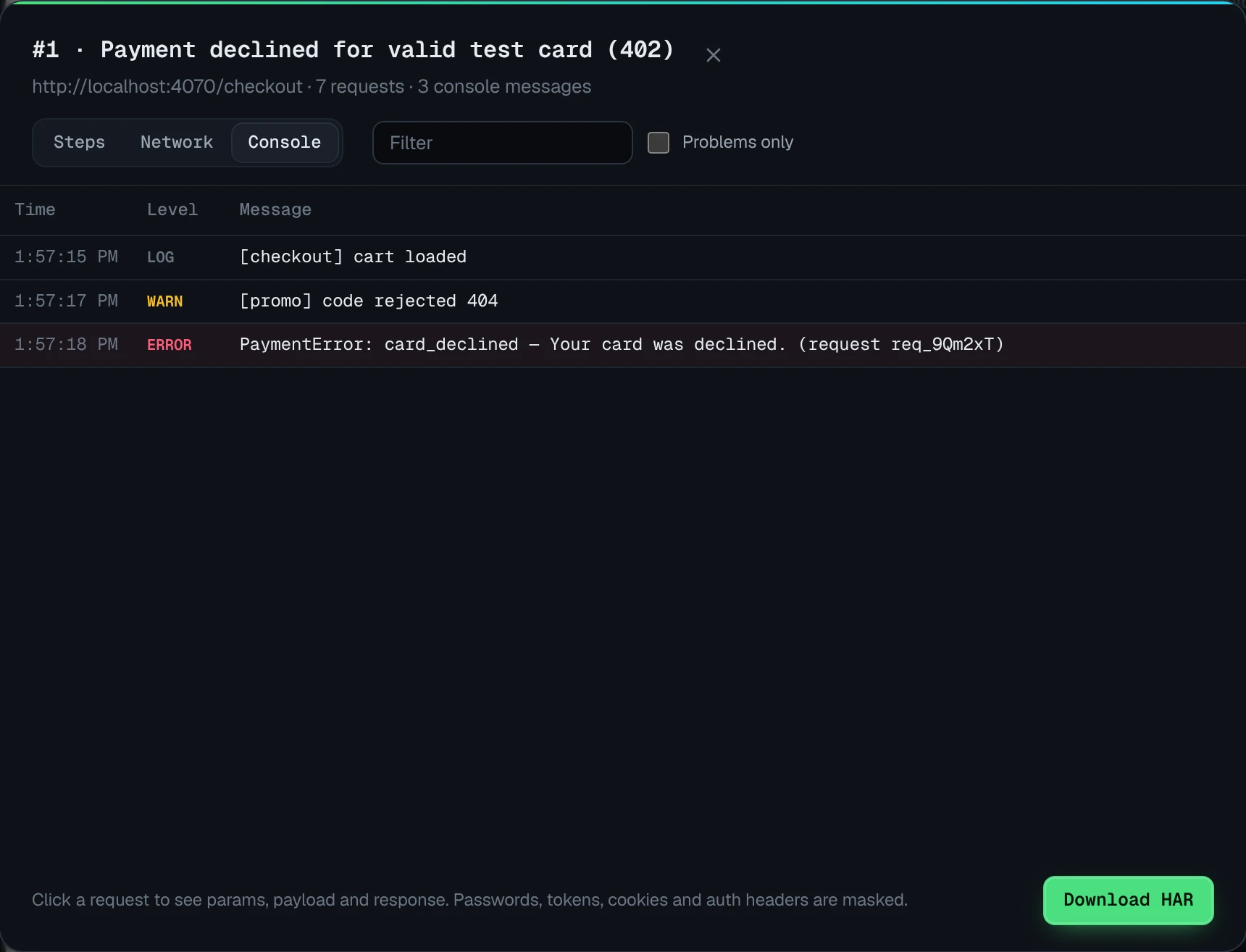
- Context on every capture: the last 30 actions as editable steps, 150 console messages including unhandled promise rejections, and network requests with payloads and responses for recent fetch/XHR calls.
- Private by default: recordings stay in your browser, and secrets are masked in network data before saving.
- Hand-off to developers: GitHub issues with the recording and HAR attached, or a self-contained HTML report with the video embedded.
Bugmark also helps with the bugs that are hardest to show on video: a request that returns the wrong data, a silent JavaScript error or an interaction that only fails after several steps. The recording shows the symptom, and the attached logs show the cause, so developers can start debugging without scheduling a call.
Bugmark vs Loom for bug reports: feature comparison
| Feature | Bugmark | Loom |
|---|---|---|
| Price | Free to try (every feature, 2 saved reports); $7.99 one-time for unlimited | Free Starter plan; paid plans — see their pricing page |
| Account required | No | See their site; viewers can watch shared links |
| Where data is stored | Locally in your browser | Loom's cloud (hosted videos) |
| Screenshots & annotation | Yes: shapes, text, numbered pins, redact | Video-first; see their site for screenshot options |
| Screen recording | Tab recording with voice, up to 5 minutes | Screen and camera; length varies by plan |
| Console logs | Yes, on every capture | In bug reporting mode on Business + AI or Enterprise |
| Network requests with payloads/responses | Yes, with secret masking, cURL and HAR | Network data in bug reporting mode; detail not specified |
| Steps to reproduce | Last 30 actions, editable | Shown in the video; AI-generated Jira work items on eligible plans |
| Integrations | GitHub issues; CSV and Markdown export | Slack, Jira, GitHub, Confluence, Notion and more |
| Share links/collaboration | No hosted links; HTML report with embedded video | Hosted links, comments, reactions and transcripts |
Competitor details checked September 2026 from their public website; check their site for current plans.
Key differences in practice
Loom and Bugmark can both produce a short video of a bug. What surrounds that video is where they differ.
- Purpose. Loom is a general async video platform used across a company. Bugmark is a single-purpose bug reporting extension, so every capture is structured for debugging rather than presentation.
- Context by default. In Bugmark, steps to reproduce, console logs and network requests with payloads and responses are attached to every capture on the free product. In Loom, Atlassian describes console and network capture as part of bug reporting mode on Business + AI or Enterprise plans.
- Audience and sharing. Loom videos are hosted and easy for anyone to watch, comment on and search by transcript. Bugmark recordings stay local until you create a GitHub issue or export a report with the video embedded.
If your team already lives in Loom and Jira and your plan includes bug reporting mode, it may cover what you need. If you want developer context on every recording without a paid plan, Bugmark is built for exactly that.
How to record your first bug report with Bugmark
- Add Bugmark from the Chrome Web Store — click Add to Chrome and confirm. No account needed, and it works in Chrome, Edge, Brave and Arc.
- Open the page with the bug and press
Alt+Shift+Rto start recording; allow microphone access if you want narration. - Reproduce the bug while talking through what you expected to happen.
- Stop the recording, then review the steps, console log and network log attached to it.
- Create a GitHub issue, or export an HTML report with the video embedded.
Learn more on the screen recorder for bug reports page, or read how to capture console logs. Add Bugmark to Chrome — free.
Frequently asked questions
Is Loom good for bug reporting?
Loom is a strong choice for explaining bugs on video, especially when sharing with non-technical stakeholders. According to Atlassian, its bug reporting mode can capture console logs and network data and create Jira work items on Business + AI or Enterprise plans. Bugmark focuses only on bug reports and includes that developer context for free.
Can Bugmark record my camera like Loom?
No. Bugmark records the browser tab as a WebM video with optional microphone narration, but it does not record your webcam. Recordings can run up to five minutes and continue across page loads. If a face-on-camera walkthrough matters for your audience, Loom is designed for that style of async video communication.
How do I make a screen recording bug report with console logs?
Install Bugmark, open the page with the problem and press Alt+Shift+R to start recording. Reproduce the bug, then stop the recording. Bugmark automatically attaches the last 150 console messages and JavaScript errors, network requests and your recent actions as steps to reproduce. Export the report or create a GitHub issue from it.
Can I share a Bugmark recording with a link?
Bugmark does not host videos, so there are no share links. You can export a self-contained HTML report with the recording embedded and send the file, or create a GitHub issue where the recording is committed to a separate branch so it renders in the issue. This keeps recordings off third-party servers unless you choose to share them.
Is Bugmark a free Loom alternative for everything?
No. Bugmark is a bug reporting tool, not a general video messaging platform. It lacks camera recording, transcripts, comments and hosted links. If you use Loom for demos, onboarding or team updates, keep it for those. Bugmark is a free alternative specifically when the video is a bug report that developers need to fix.
Try Bugmark free — no account needed
- Screenshots & screen recording
- Console & network logs
- Steps to reproduce
- GitHub issues & reports